Lesson 1: What a Piping Designer Does — Role, Deliverables and Project Phases
Sample lesson 1 of the PipingDesigners beginner training series: the designer’s role, the main deliverables, project phases and review gates.


Sample lesson 1 of the PipingDesigners beginner training series: the designer’s role, the main deliverables, project phases and review gates.
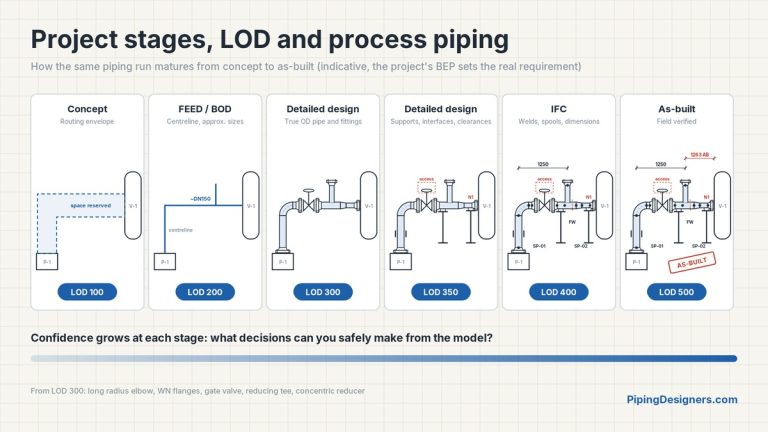
What the piping model, deliverables and checks typically look like at each project stage and Level of Development, from concept and BOD/FEED to as-built. A guide, not a standard.
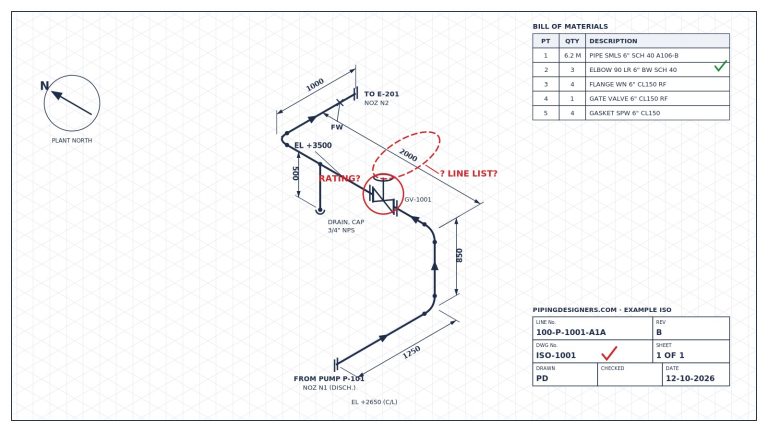
A piping isometric can look complete and pass a quick review yet still not be ready for release. Four themes to test, and a release gate checklist.
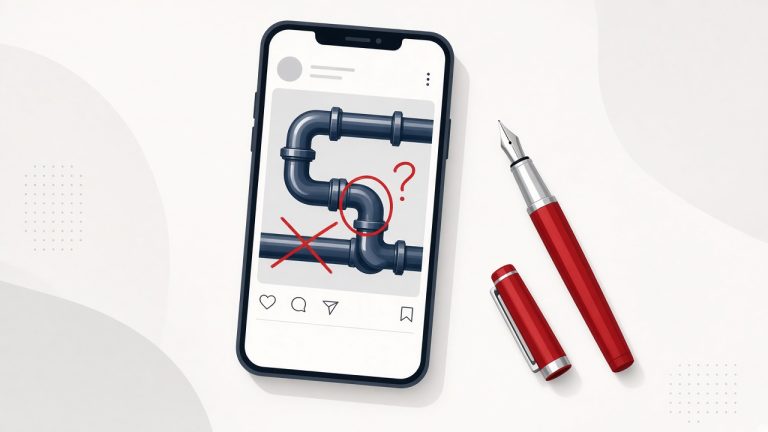
AI slop means polished, unverified piping posts. The real line isn’t AI or no AI; it’s verified or unverified. Would you put your name to it?
How the Pipe Volume tool works out internal volume, water weight and a preliminary hydrotest fill for one or more pipe lengths.
How the Weld Inches tool estimates shop weld inches from listed joints and splits a straight run into spools and field welds.
How the Valve Cv tool gives a basic liquid Cv and Kv, warns about choked flow, and makes a simple gas estimate.
How the Bend Cutting tool works out mitre segments, cut angles and wrap templates, and how to cut an elbow to a smaller angle.
How the Insulation Thickness tool works out heat loss and surface temperature for one layer of insulation, and solves the thickness for a target.
How the Stud Bolt Length tool builds up a stud length from flange, gasket and nut dimensions, rounds it to a shop length, and draws a tightening order.
Analytics cookies
We use cookies to measure how this site is used. They stay off until you accept.